Many sources at once
Serial, TCP, MQTT, CAN and a built-in test generator – each started and stopped on its own.
 KYMOTRACE
Embedded telemetry · live
Kymotrace streams measurements from Arduino, ESP32 and STM32 to your desktop – compact, non-blocking and live. Plot them as curves, XY traces or in 3D, analyse them and export them.
01
02
Each part works on its own – together they form a complete measurement chain.
Library in your microcontroller
Portable C++11 with a C API. Schedules your channels, encodes them into 9–21 byte frames and hands them to any transport – without heap, RTOS or blocking.
kymocore on GitHub →PlatformIO Registry →Ready-made firmware
Examples for ESP32, Arduino Uno/Nano/Mega and STM32 – over UART, USB or Wi-Fi with MQTT. Flash it, connect, see data within minutes.
kymoprobe on GitHub →Desktop workbench
Receives several sources at once, draws time series, XY and 3D charts, analyses raw data and exports CSV and PNG. Windows installer; runs from source on Linux and macOS.
kymostudio on GitHub →Transport UART · USB · TCP · MQTT · CAN / Frame A5 5A · 41 · 07 · 00 00 80 3F · 00
03
A workbench that feels like a good measuring instrument: it always shows whether data arrives, whether anything is lost and what you are looking at.
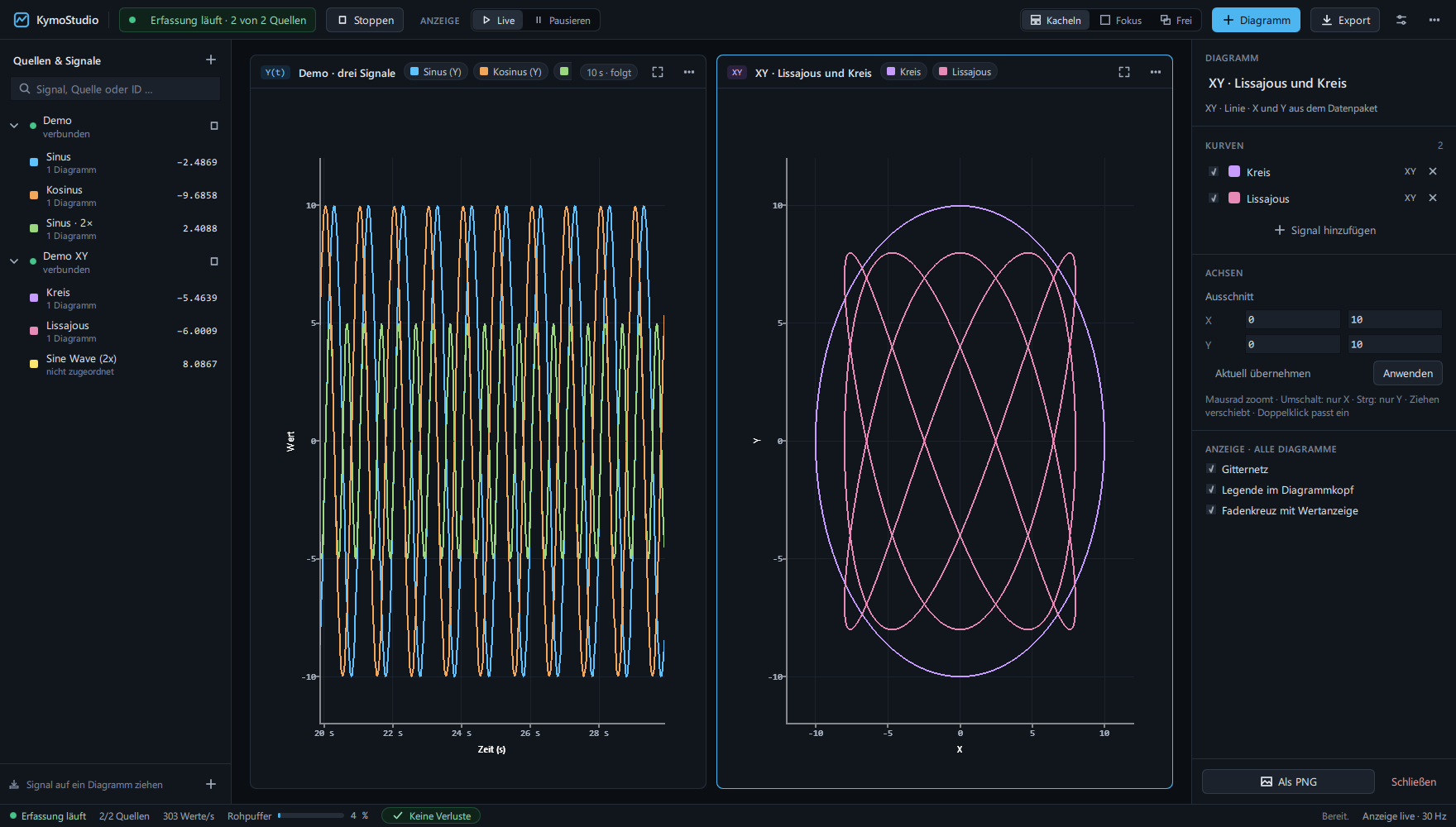
Serial, TCP, MQTT, CAN and a built-in test generator – each started and stopped on its own.
Time series, XY line, XY scatter and XYZ in 3D. X and Y come straight from the data packet.
Kymotrace binary, plain numbers or JSON – detected automatically.
Min, max, mean, RMS and standard deviation – computed from the stored raw data, not the decimated display.
Freeze the display while acquisition keeps running. Buffers are bounded – the status bar counts anything dropped.
Raw data as CSV, the workspace as PNG, the configuration as JSON.
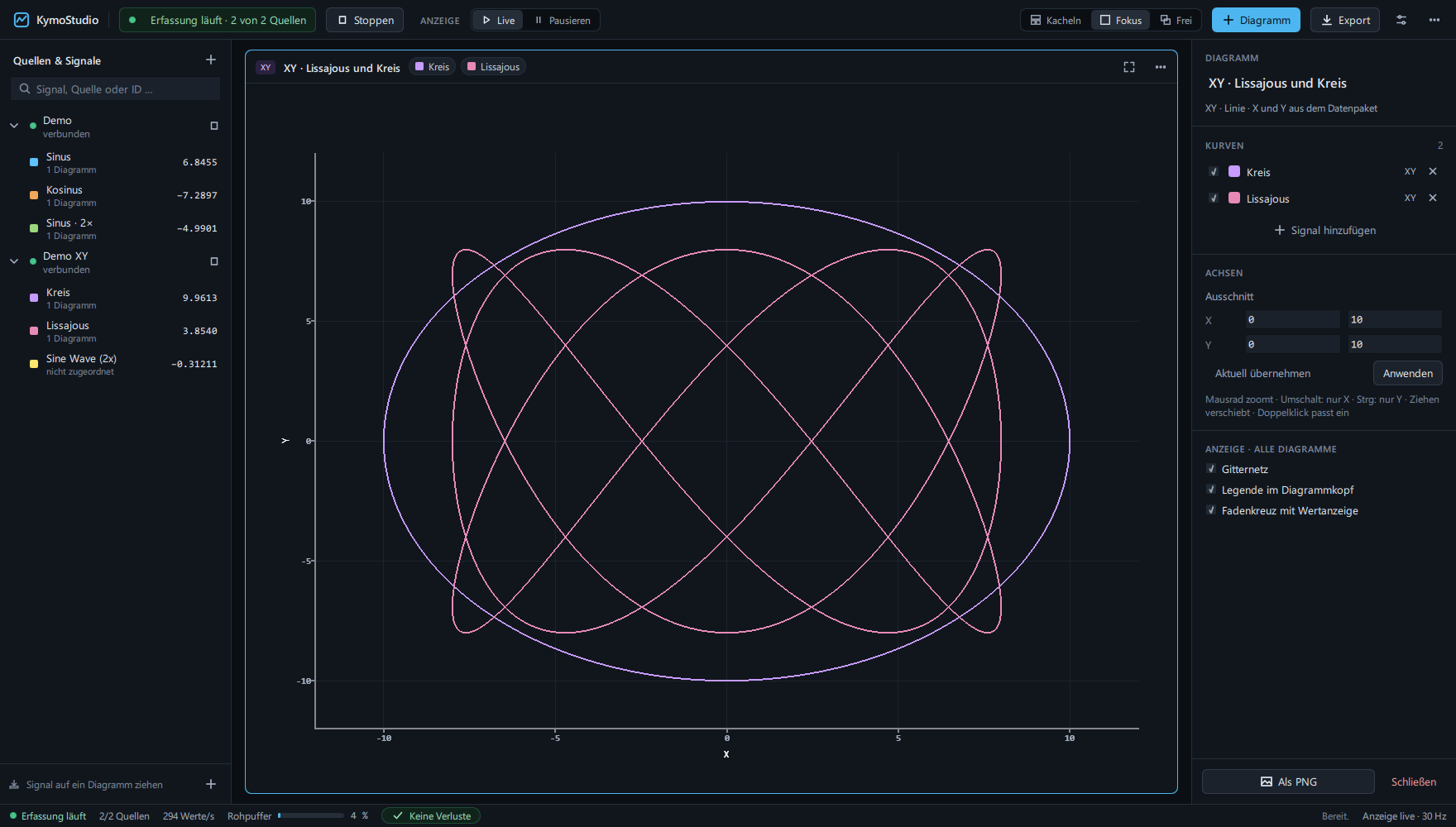
When a frame carries X and Y, KymoStudio draws the path itself: characteristic curves, robot trajectories, phase portraits or Lissajous figures – live, zoomable, with crosshair readout.
04
05
Build a frame yourself. Toggle the optional fields and watch layout, length and checksum change – these are the exact bytes on the wire.
06
Describe your channels once, call Kymo_Init() at start-up and Kymo_Main() in your loop. KymoCore decides which channel is due, asks your callback for the value and never waits for the interface.
Install from the PlatformIO Registry:
lib_deps = codename666/KymoCore@^6.2.3// kymo_config.cpp – your measurement
static uint8_t sample(void *, uint8_t id, KymoSample *out)
{
out->value = id == 0 ? readTemperature() : readPressure();
return 1;
}
static const KymoChannel channels[] = {
{20, 0, 0}, // channel 0 every 20 ms
{100, 1, 0} // channel 1 every 100 ms
};
// main.cpp
static KymoContext kymo;
void setup() { Serial.begin(115200); Kymo_Init(&kymo, &kymo_config); }
void loop() { Kymo_Main(&kymo); }07
Download the Windows installer from the latest release – or run it from source on Linux and macOS.
Download installer SHA256Clone KymoProbe and upload the ESP32 example – or add KymoCore from the PlatformIO Registry to your own project.
pio run -e nodemcu-32s -t uploadOpen a serial connection at 115200 baud, 8N1. Frames are detected automatically – assign a channel to a chart and watch.
No board yet? Start the demo inside KymoStudio.
08
Hobby · learning · open source
Free
Companies · products
On request
KymoStudio builds on Qt Charts and Qt Quick 3D. Redistributing KymoStudio in a proprietary product additionally requires a commercial Qt license for these modules – see the licensing details.