Many sources at once
Serial, TCP, MQTT, CAN and a built-in test generator – each started and stopped on its own.
 KYMOTRACE
Embedded telemetry · live
Kymotrace streams measurements from Arduino, ESP32 and STM32 to your desktop – compact, non-blocking and live. Plot them as curves, XY traces or in 3D, analyse them and export them.
Windows installer · direct download · SHA256 checksum
01
02
Each part works on its own – together they form a complete measurement chain.
Library in your microcontroller
Portable C++11 with a C API. Schedules your channels, encodes them into 9–21 byte frames and hands them to any transport – without heap, RTOS or blocking.
kymocore on GitHub →PlatformIO Registry →Ready-made firmware
Examples for ESP32, Arduino Uno/Nano/Mega and STM32 – over UART, USB or Wi-Fi with MQTT. Flash it, connect, see data within minutes.
kymoprobe on GitHub →Desktop workbench
Receives several sources at once, draws time series, XY and 3D charts, analyses raw data and exports CSV and PNG. Windows installer; runs from source on Linux and macOS.
Download Windows installer →SHA256 checksumTransport UART · USB · TCP · MQTT · CAN / Frame A5 5A · 41 · 07 · 00 00 80 3F · 00
03
A workbench that feels like a good measuring instrument: it always shows whether data arrives, whether anything is lost and what you are looking at.
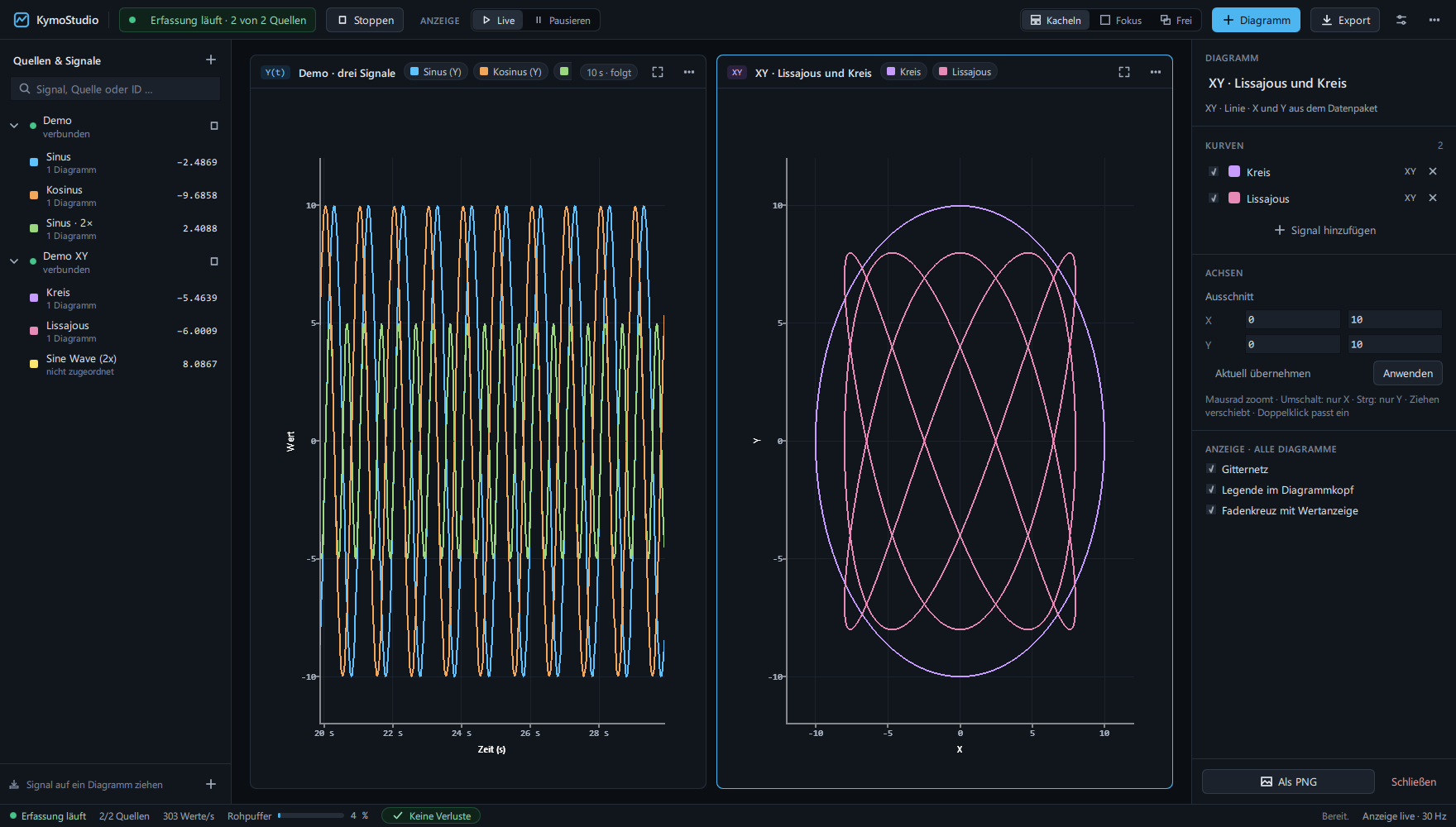
Serial, TCP, MQTT, CAN and a built-in test generator – each started and stopped on its own.
Time series, XY line, XY scatter, XYZ in 3D, runtime trace and function flow for KymoTrace v2 sessions.
Kymotrace binary, plain numbers or JSON – detected automatically.
Count, min, max, mean, RMS and standard deviation – computed from the stored raw data, not the decimated display.
Freeze the display while acquisition keeps running. Buffers are bounded – the status bar counts anything dropped.
Raw data as CSV, the workspace as PNG, the configuration as JSON.
Tile charts, focus one or arrange them freely. Drag signals into charts and save layouts, sources and assignments.
Zoom, pan, fit the view and read values with a crosshair. Set axis ranges and time windows manually.
Start and stop sources independently. Counters show invalid packets, overload and values replaced in bounded buffers.
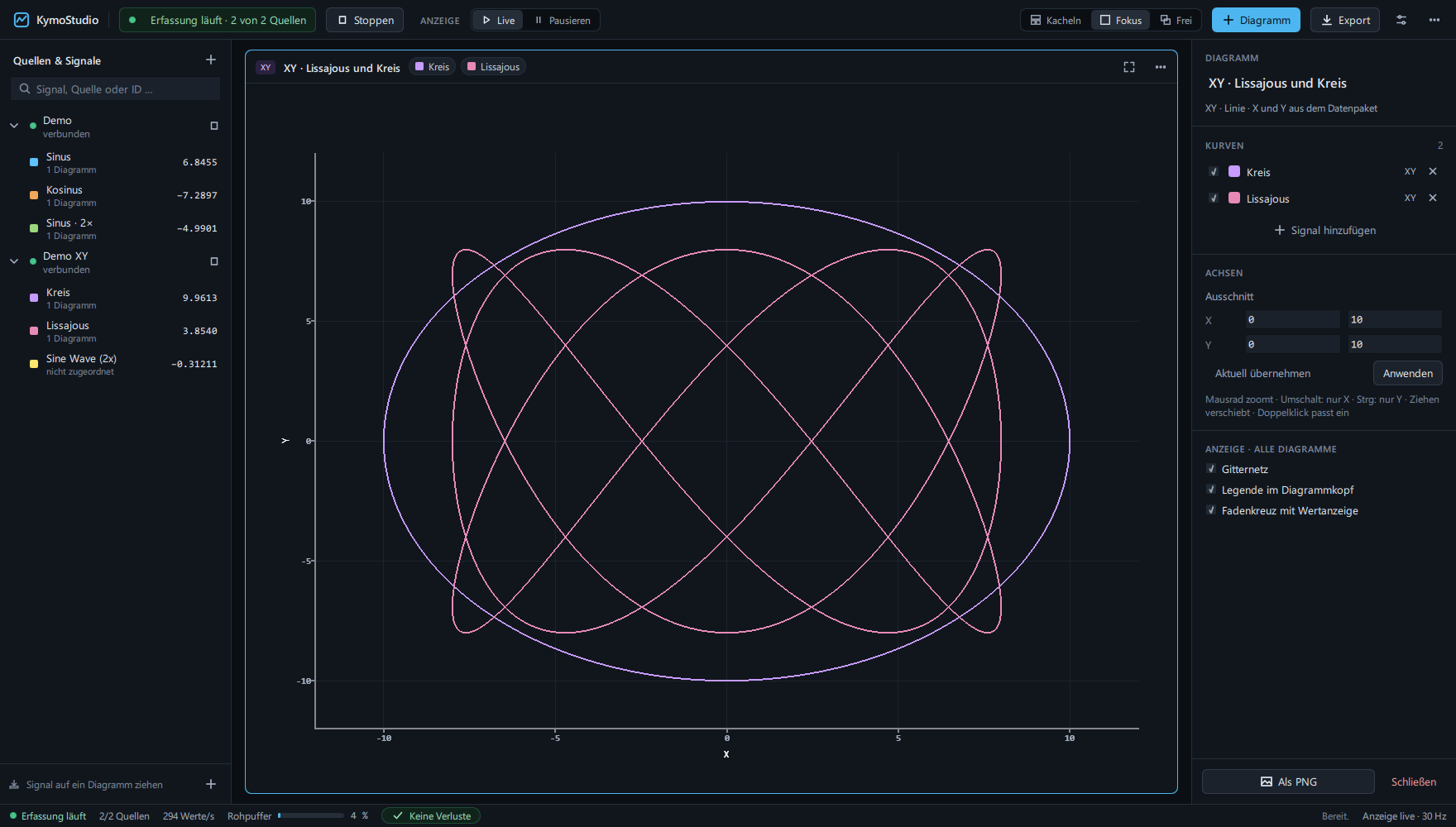
When a frame carries X and Y, KymoStudio draws the path itself: characteristic curves, robot trajectories, phase portraits or Lissajous figures – live, zoomable, with crosshair readout.
04
05
Build a frame yourself. Toggle the optional fields and watch layout, length and checksum change – these are the exact bytes on the wire.
06
Describe your channels once, call Kymo_Init() at start-up and Kymo_Main() in your loop. KymoCore decides which channel is due, asks your callback for the value and never waits for the interface.
Install from the PlatformIO Registry:
lib_deps = codename666/KymoCore@^6.2.3// kymo_config.cpp – your measurement
static uint8_t sample(void *, uint8_t id, KymoSample *out)
{
out->value = id == 0 ? readTemperature() : readPressure();
return 1;
}
static const KymoChannel channels[] = {
{20, 0, 0}, // channel 0 every 20 ms
{100, 1, 0} // channel 1 every 100 ms
};
// main.cpp
static KymoContext kymo;
void setup() { Serial.begin(115200); Kymo_Init(&kymo, &kymo_config); }
void loop() { Kymo_Main(&kymo); }KymoStudio · Windows
Download the latest published Windows installer from this website. No GitHub account is needed. Use the SHA256 checksum to verify the downloaded file.
Run this command in PowerShell in your Downloads folder and compare the result with the SHA256 checksum:
Get-FileHash .\KymoStudio_Setup.exe -Algorithm SHA256SHA256 of the current installer
Loading checksum…
07
Download the Windows installer here, verify its SHA256 checksum and install KymoStudio.
Download installer SHA256 checksumClone KymoProbe and upload the ESP32 example – or add KymoCore from the PlatformIO Registry to your own project.
pio run -e nodemcu-32s -t uploadOpen a serial connection at 115200 baud, 8N1. Frames are detected automatically – assign a channel to a chart and watch.
No board yet? Start the demo inside KymoStudio.
08
Hobby · learning · open source
Free
Companies · products
On request
KymoStudio uses PySide6 and Qt Quick with custom renderers for 2D and 3D charts. Optional OpenGL acceleration can be enabled in the display settings.