Raspberry Pi & single-board computers
Plot sensor values read via I²C, SPI or GPIO live – without building your own plot window.
 KYMOTRACE
KYMOCORE FOR PYTHON · 0.1.0 · MIT
Not every signal comes from a microcontroller. A Raspberry Pi reads sensors, a test bench script drives a power supply, a simulation computes a plant model. kymocore sends those values to KymoStudio while they happen – in the same binary format as the firmware.
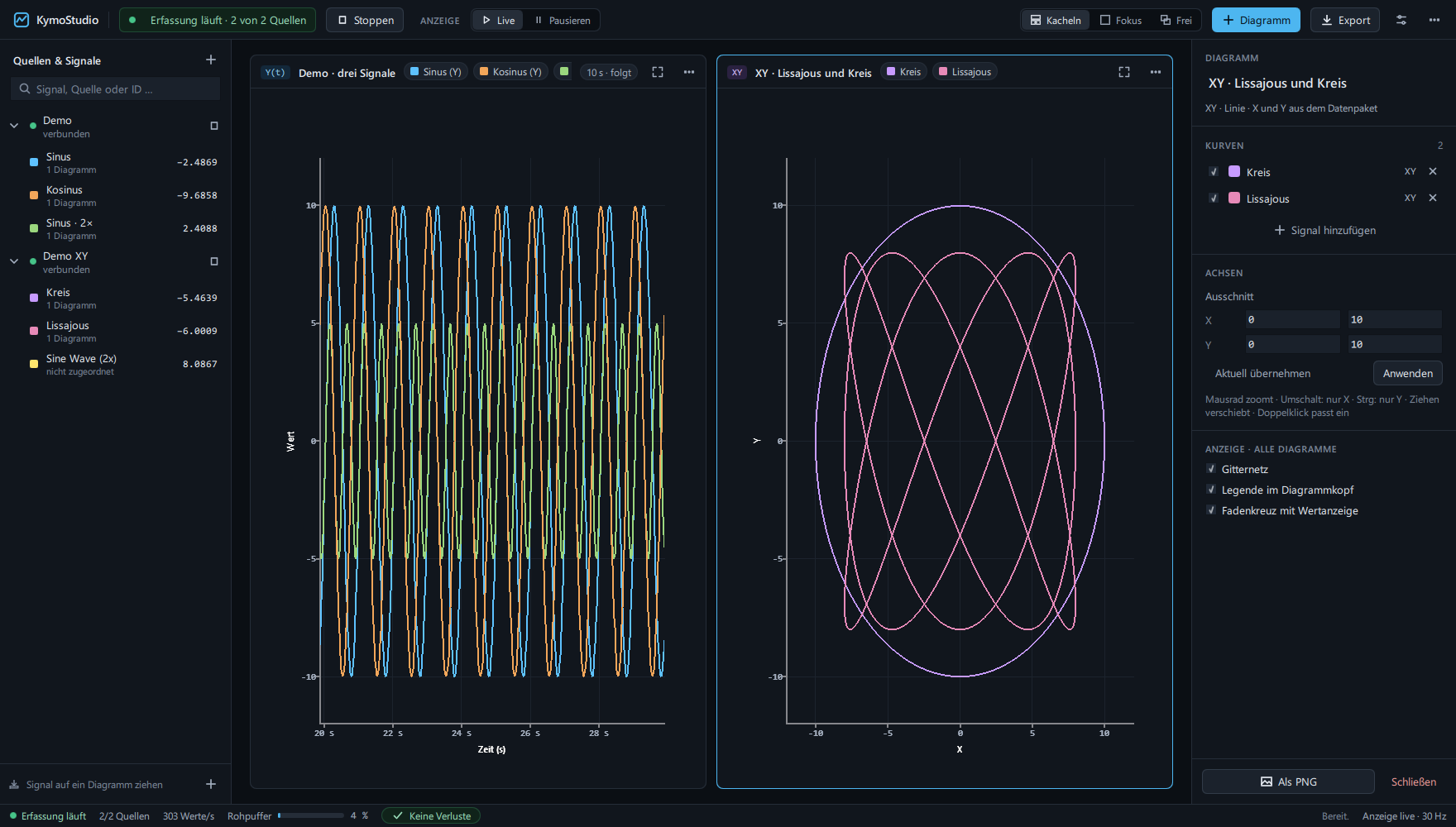
Wherever measurements come out of a Python script and you don't want to look at them only afterwards as a CSV file.
Plot sensor values read via I²C, SPI or GPIO live – without building your own plot window.
The script's setpoints next to the measurements of the device under test – in one workbench, on one time axis.
Watch a plant model or controller simulation with the same charts you will later use on real hardware.
Forward values from instruments, logs or APIs to KymoStudio.
KymoStudio records, replays and exports CSV – just as for data from a board.
Cursors, step response, FFT and trigger work on Python data too, with the sender's timestamps.
QUICK START
In KymoStudio, add a UDP source on port 5025, start it and assign channel 0 to a chart. With x= and z= you get XY and 3D paths.
pip install kymocore            # UDP, TCP
pip install kymocore[serial]    # + serial / USB
pip install kymocore[mqtt]      # + MQTT
import math, time
from kymocore import Sender
with Sender.udp('127.0.0.1', 5025) as sender:
for i in range(1000):
sender.send(0, math.sin(i / 20)) # channel 0
sender.send(1, math.cos(i / 20), x=i) # XY point
time.sleep(.01)KymoStudio's existing sources receive the data unchanged.
| Transport | Call | Source in KymoStudio |
|---|---|---|
| UDP | Sender.udp(host, port) | UDP, listening on port |
| TCP | Sender.tcp_server(port) | Telnet/TCP connects to this machine; values sent while no client is connected are dropped, as on a device |
| Serial | Sender.serial('COM4', 115200) | Serial, same baud rate |
| MQTT | Sender.mqtt(broker, topic) | MQTT, topic among its receive topics; one message per value |
Each value is a compact frame of 9 to 21 bytes, tested against the golden vectors of the Kymotrace protocol v6.2. Optionally with CRC-8. frame() returns the bytes for a transport of your own.
Time since the sender started, from a monotonic clock, in microseconds (default; wraps after 71.6 minutes and KymoStudio continues the time axis) or milliseconds. Without a timestamp, KymoStudio stamps on arrival.
Two libraries, one protocol: KymoCore runs on the microcontroller, KymoCore for Python on the PC or Raspberry Pi. On PyPI the package is called kymocore.
Measurements, traces and live parameters on the microcontroller.
Send measurements from scripts. This page.
Ready-made firmware for ESP32, Arduino and STM32.
Receive, display, record, analyse.
pyserial and paho-mqtt are optionalBackground on recording and export: Embedded data logging →