Many sources at once
Serial (UART/USB), TCP, UDP, MQTT, CAN and a built-in test generator – each started and stopped on its own.
 KYMOTRACE
KymoStudio · Windows
KymoStudio receives measurements from MCUs, sensors and networks and draws them live – as time series, XY paths or in 3D. Analyse them, trace your firmware and export everything, while recording keeps running.
Version 2.7.0 · Windows installer · free for personal and hobby use · SHA256 checksum
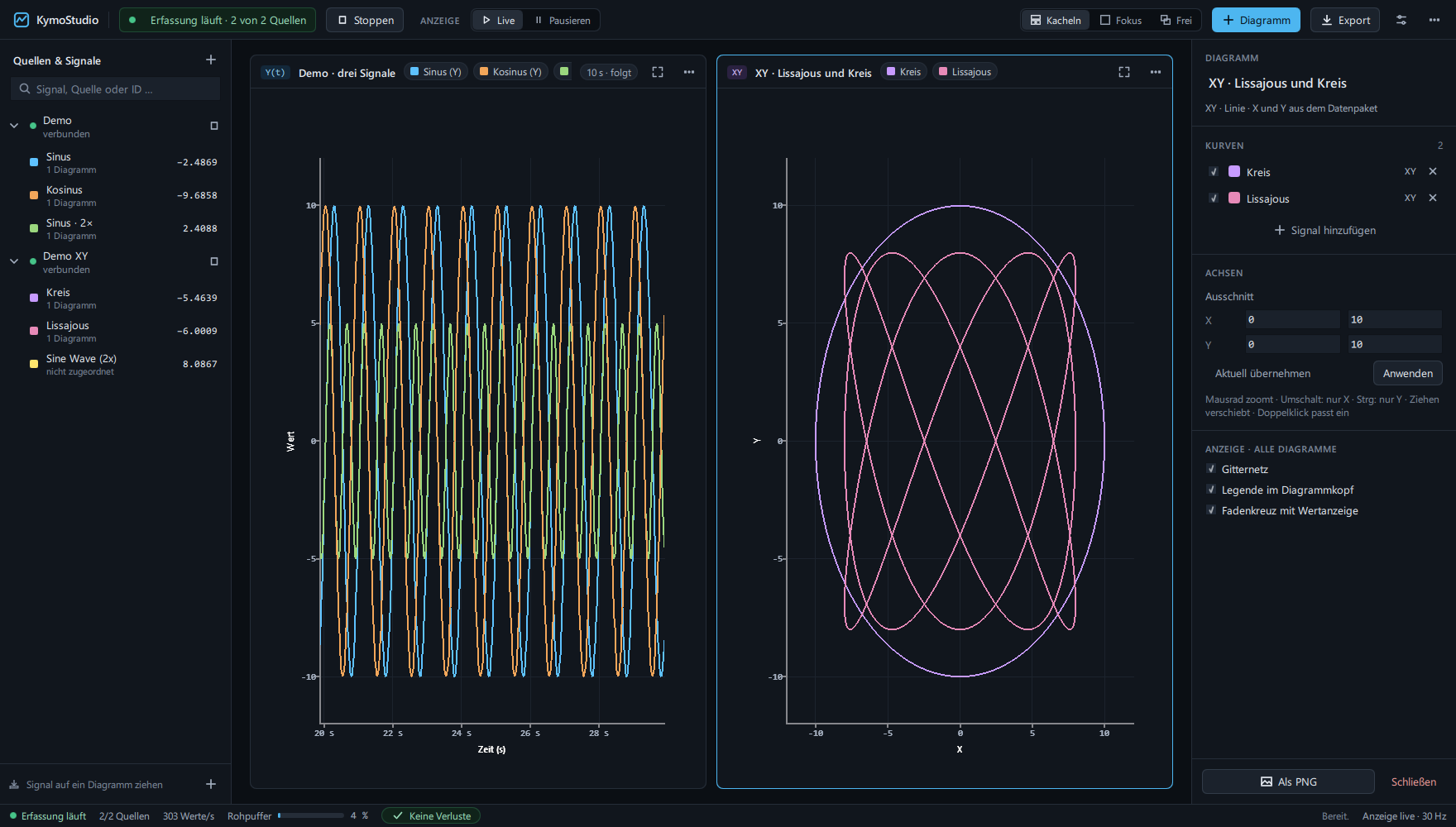
Serial (UART/USB), TCP, UDP, MQTT, CAN and a built-in test generator – each started and stopped on its own.
The compact Kymotrace binary protocol, plain numbers line by line or JSON. The format is detected automatically.
Time series, XY line, XY scatter and XYZ in 3D – characteristic curves, trajectories and Lissajous figures straight from the stream.
Cursors, step response, histogram, FFT with THD, trigger, tolerance band and a reference curve – computed from raw data.
Bounded buffers and counters for invalid packets, overload and replaced values. Nothing is dropped silently.
Raw data as CSV, the workspace as PNG, the configuration as JSON; trace data as CSV or Chrome Trace JSON.
Firmware tracing
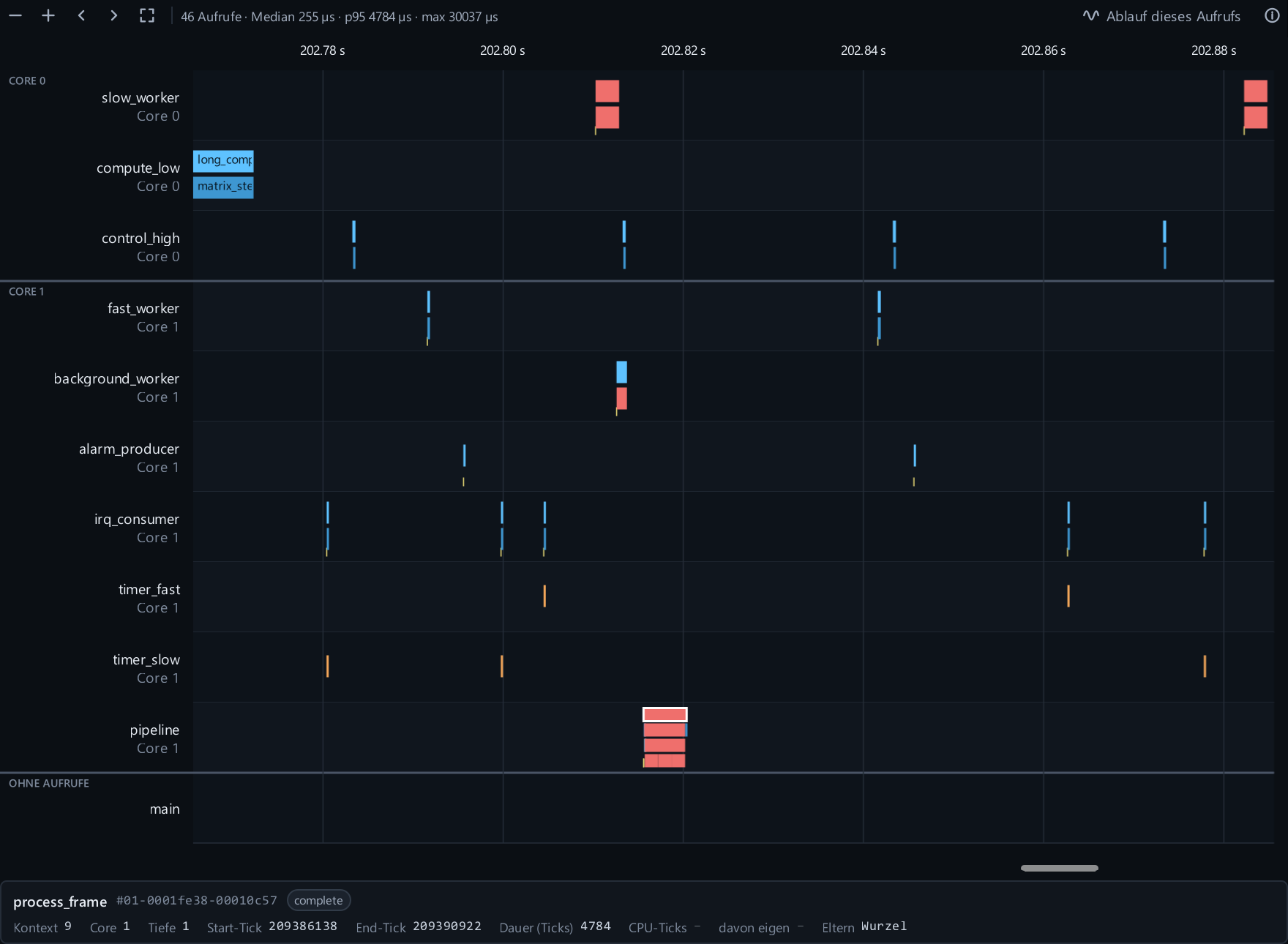
With KymoCore tracing enabled, KymoStudio shows functions, tasks and interrupts on a timeline, opens the call tree of a single call and lists hotspots with self time, spread and jitter – on one or several CPU cores.
Local MCP
Connect Claude Code, Codex or another MCP client to the running desktop app. 57 tools inspect sources, signals, statistics, traces and hotspots, control measurement recordings and device parameters, arrange charts and export results. Plugins for Claude Code and Codex. MCP is off by default and can be limited to read-only access.
Get started
Download the Windows installer, verify its SHA256 checksum and start KymoStudio. The demo needs no hardware.
Download installerPrint plain numbers or JSON lines from any board, or use the KymoCore library and the ready-made KymoProbe firmware.
Open the serial port at 115200 baud, 8N1 (or a TCP, UDP, MQTT or CAN source), assign a signal to a chart and watch.
KymoStudio is free for personal and hobby use, education, non-commercial research and open source. Commercial use requires a license with a 30-day free evaluation – see the licenses page or write to kontakt@kymotrace.de.