Runtime trace
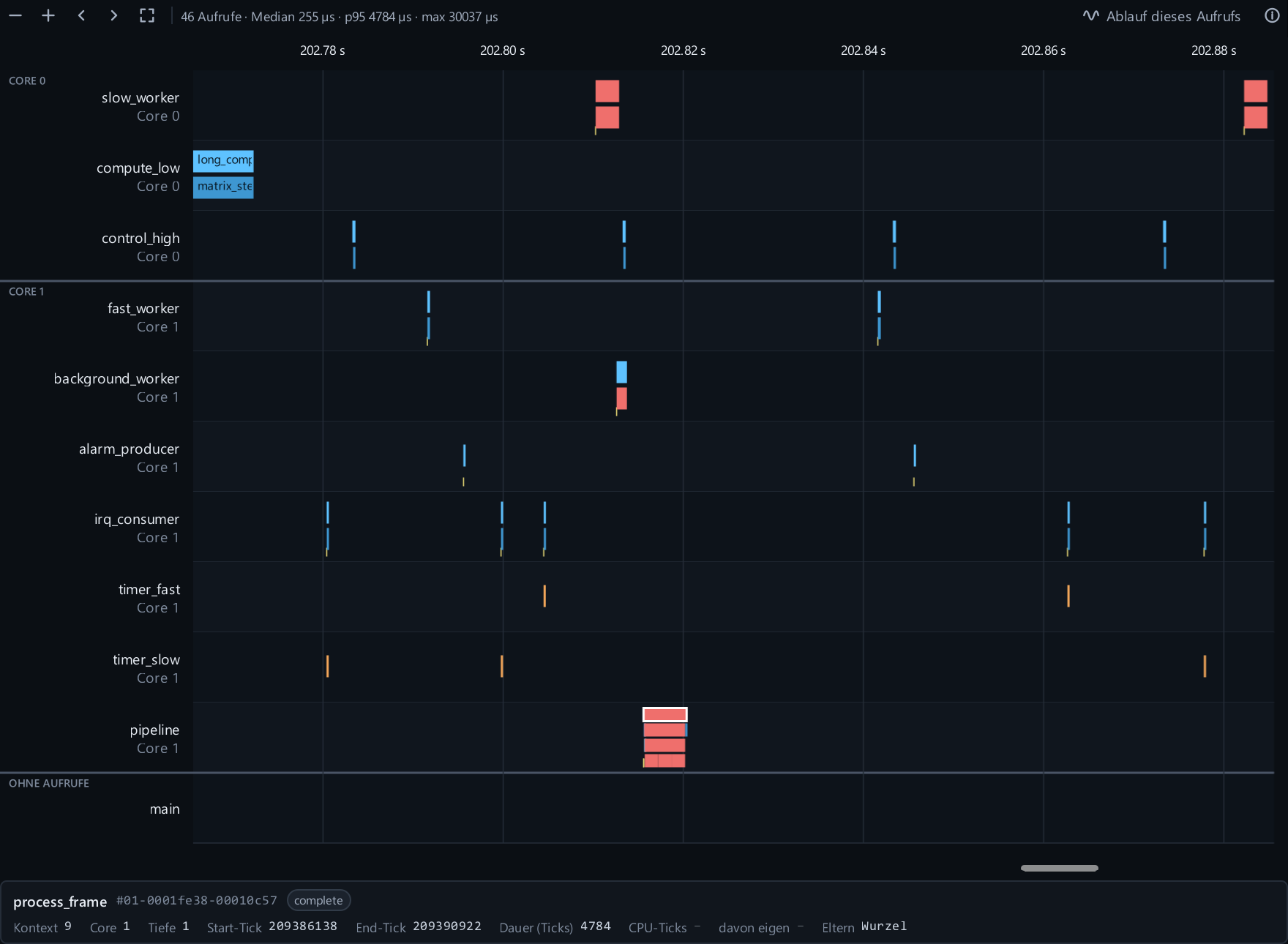
Scope spans, markers and recording gaps on a readable time axis. Very dense windows are drawn as call density.
 KYMOTRACE
FEATURES · RUNTIME TRACE
When do your functions, tasks and interrupts run, which ones cost the most time, and why was this call slow? Recorded on the microcontroller by KymoCore, shown live in KymoStudio.
A loop is sometimes too slow, a task misses its period, and printing timestamps changes the very timing you want to see. Logic analyzer pins run out quickly and show nothing about which function was busy.
Macros in your firmware record function entries and exits, markers, ISRs and task switches into a bounded buffer. KymoStudio turns them into a timeline, a call tree and statistics – on the same link that carries your measurements.
Scope spans, markers and recording gaps on a readable time axis. Very dense windows are drawn as call density.
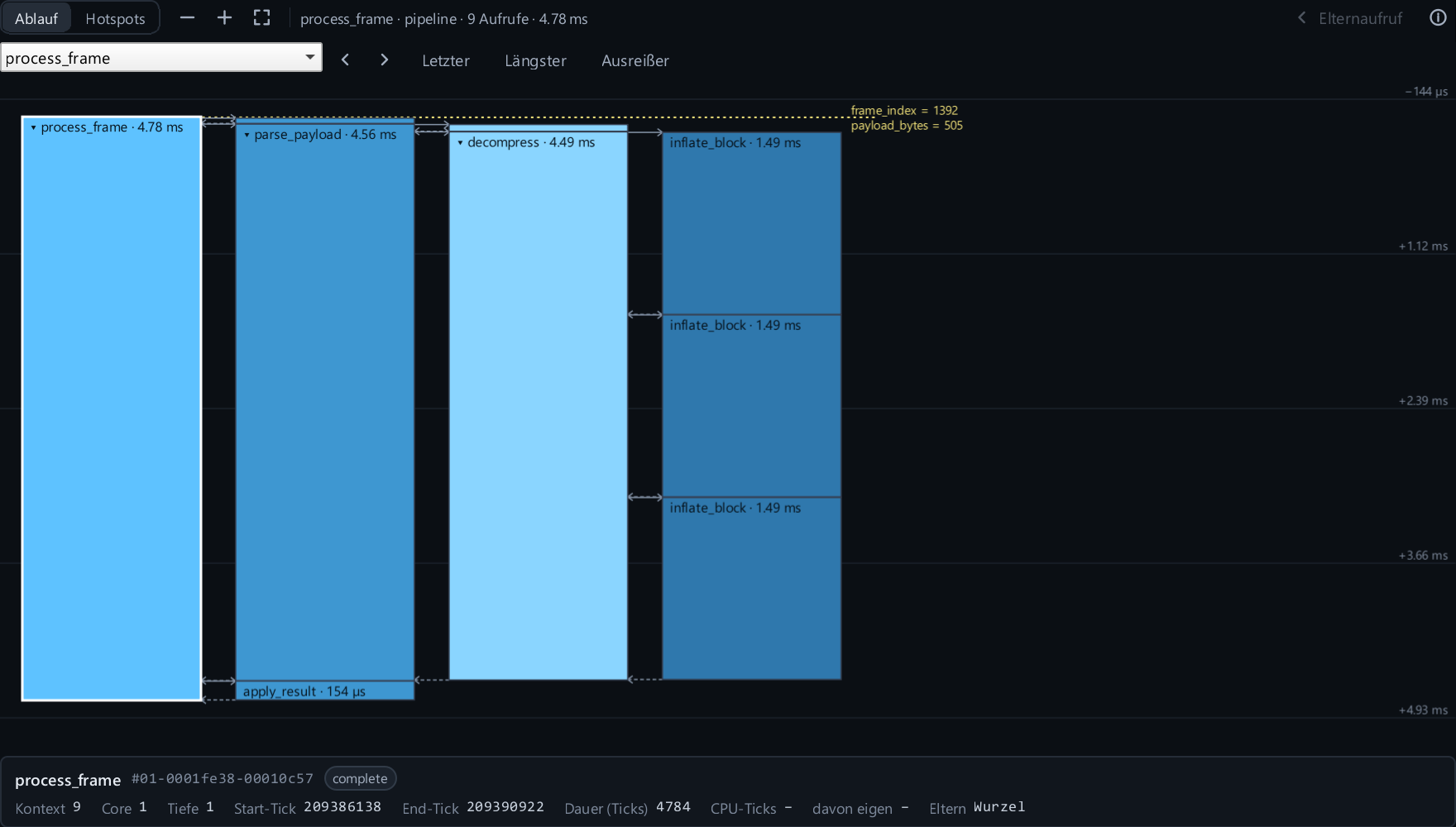
The call tree of one selected call – only its subtree and the markers of its task, linked to the trace by selection and time cursor.
Each source lists its tasks and interrupts with call counts. Click one to filter the timeline.
On multi-core targets lanes are grouped per CPU core; calls that switched cores are marked.
Save a capture, reopen it, change playback speed and step through events. Export as CSV or Chrome Trace JSON.
Lost or skipped events are marked as gaps instead of being hidden.
Computed from the entries and exits KymoCore already records – no firmware or protocol change.
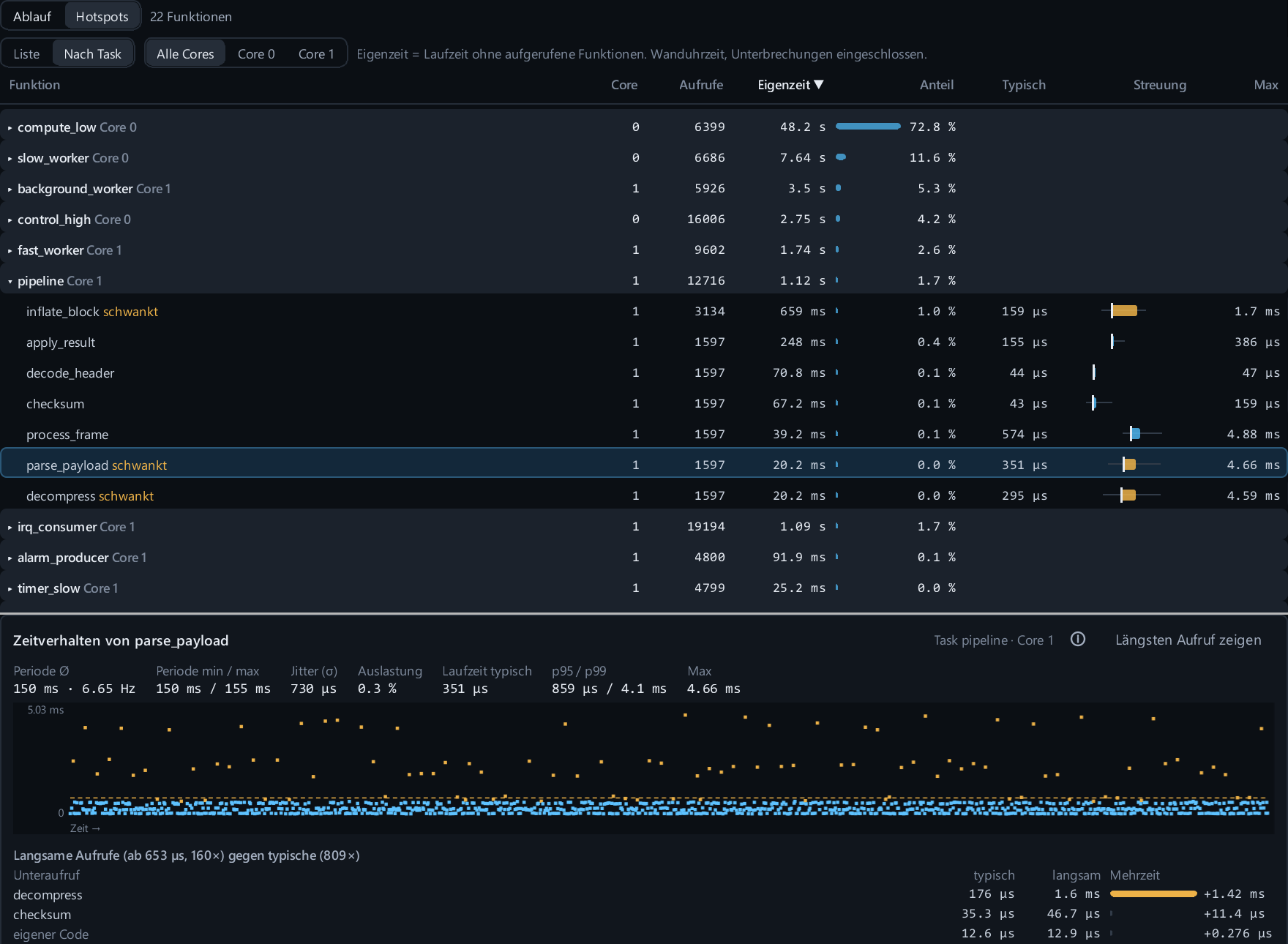
Every function with calls, self time, share, typical run time and maximum. As a list or grouped by task.
A bar from minimum over typical to p95 and maximum. Functions whose p95 is at least twice the typical time are marked.
Period, frequency, jitter and load of periodic loops; gaps and run-time percentiles for load-dependent workers.
A scatter of every call shows load phases and outliers. Click a point to open that call in the function flow.
Compares the slowest calls with typical ones per called function and shows where the extra time comes from.
Optionally highlights calls that take more than twice as long as typical for their function.
Trace macros come with KymoCore. Mainloop firmware works without an RTOS; task and interrupt events add context when your platform port supplies them.
// contexts and symbols come from the generated profile
void process_frame(void)
{
    KYMO_TRACE_SCOPE(&recorder, KYMO_CONTEXT_MAIN, KYMO_SYMBOL_PROCESS_FRAME);
    parse_payload();
    decompress();
}